Why your contact form leads go to spam (and how to fix it)
Quote requests from your website landing in spam, or never arriving at all? Here is why it happens and a step-by-step fix for US small businesses and contractors.
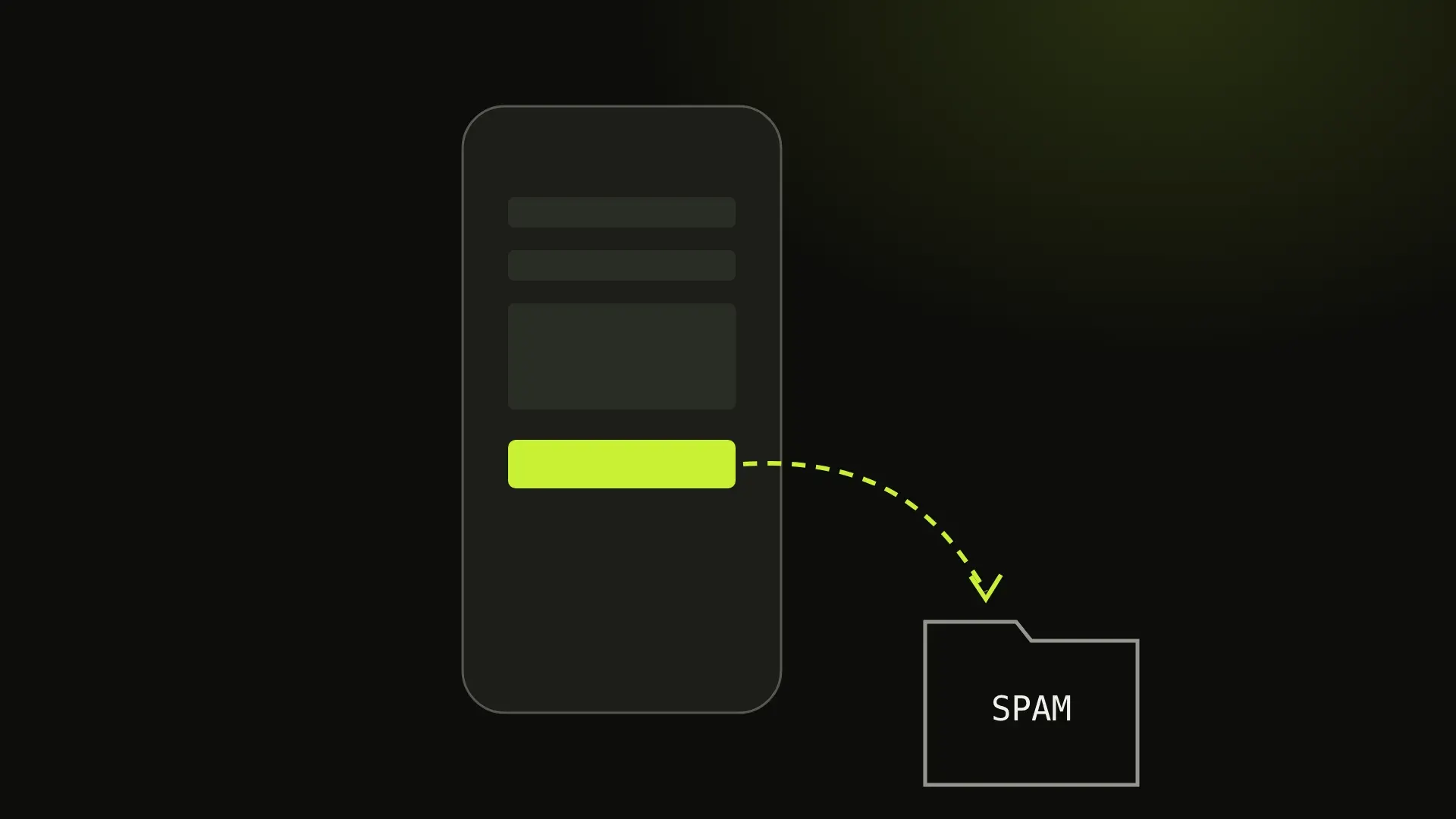
A homeowner fills in your quote form at 9 p.m. They type out the job, their address and their phone number, press Send, and see “Thanks, we will be in touch.” You never see that lead. Next morning they call the contractor who got back to them first.
This happens far more often than most owners realise, because a broken form fails silently. Nothing on your website looks wrong. The visitor sees the thank-you message. The only symptom is that the phone is quieter than it should be, and that is easy to blame on the season or the market.
This guide explains why website contact form emails land in spam or vanish, and the practical fixes, in roughly the order we would do them. It is written for US small business owners and contractors, and you do not need to be technical to follow most of it.
Why form emails end up in spam
The form pretends to be you
Most website forms send email “from” your own address, or from the customer’s address, so the reply button works. But the email is actually sent by your web server or a shared hosting machine, which has no permission to send mail for your domain.
Gmail, Outlook and Yahoo check that. Since 2024, Google and Yahoo have required senders to authenticate their mail properly, and they treat unauthenticated mail claiming to be from a real domain as suspicious. To them, your own form looks exactly like a phishing email pretending to be your company. The result is the spam folder, or a silent rejection where the message is never delivered at all.
Shared hosting has a bad reputation
Cheap hosting puts hundreds of websites on the same server and the same IP address. If one of those sites sends spam, the whole IP gets a poor reputation, and your quote requests share it.
Spam bots train your inbox to ignore the form
If bots hit your form with junk all day, you (and your email provider) start treating every message from the form as noise. Real leads get buried, filtered by a rule you set months ago, or simply skimmed past.
The email goes to the wrong place
This one is not spam at all, but it is common: the form still sends to an old employee’s address, a mailbox nobody checks, or the developer’s test inbox from when the site was built.
Fix 1: Set up SPF, DKIM and DMARC on your domain
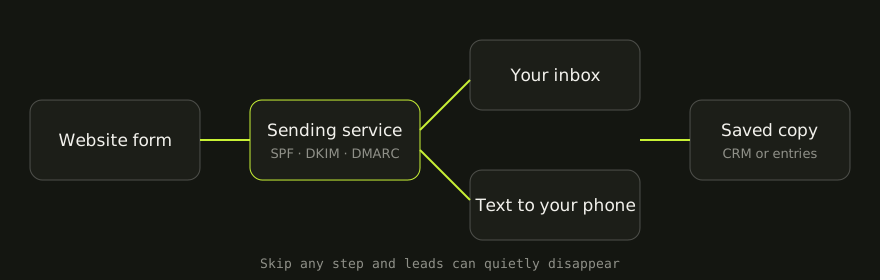
These are three DNS records that tell the world which services may send email for your domain, and prove that a message really came from you.
- SPF lists the services allowed to send as
@yourcompany.com(for example Google Workspace or Microsoft 365, plus your form’s sending service). - DKIM adds a digital signature to every message, so the receiver can check it was not forged or altered.
- DMARC tells receivers what to do when a message fails those checks, and sends you reports about who is sending as your domain.
Start DMARC with a monitoring policy (p=none), confirm that your real mail passes, and then tighten it. We go through each record in plain English in why your business emails go to spam. Getting these right helps every email your business sends, not only the form.
Fix 2: Send form emails from your own domain, through a real sending service
Stop letting the web server send mail by itself. Instead, connect the form to a transactional email service. These are built to deliver one-off messages such as receipts, password resets and form notifications. Well-known options include Postmark, Amazon SES, SendGrid, Mailgun and Brevo, and on WordPress an SMTP plugin connects the form to one of them.
Set it up like this:
- From: an address on your own domain, such as a
website@address, which the service is authorized to send for (it will ask you to add SPF/DKIM records to verify). - Reply-To: the customer’s email address, so pressing reply still answers them.
- To: a mailbox that a real person checks every day, ideally a shared address like a
quotes@address that forwards to everyone who handles leads.
Never put the customer’s address in the From field. That is the single most common reason form emails are rejected.
A good sending service also keeps an activity log. If a lead ever “goes missing”, you can see whether it was sent, delivered or bounced, instead of guessing.
Fix 3: Store every lead, not only email it
Email should be a notification, not the only copy. Make sure every submission is also saved somewhere you can look it up: your form plugin’s entries screen, a CRM, a Google Sheet or a simple database. If an email is lost, the lead is not.
Fix 4: Replace annoying captchas with Cloudflare Turnstile
Old-style captchas (“select every bus”) stop some bots, but they also stop real customers, especially on a phone. Every extra step on a quote form costs you enquiries.
Cloudflare Turnstile is a free alternative that checks the visitor quietly in the background. Most real people never see a puzzle. Combine it with two cheap tricks:
- A honeypot field: a hidden field that people never see but bots fill in. Any submission with it filled is discarded.
- Server-side checks: reject submissions with links stuffed into the message, or obviously fake phone numbers.
Less junk reaching your inbox means the real leads stand out again, and your mailbox stops learning that form emails are spam.
Fix 5: Get an instant text or push notification
For contractors and home-service businesses, speed often decides who gets the job. A homeowner asking for quotes usually contacts more than one company and tends to go with the first one who calls back with a clear answer.
So do not rely on someone checking email. Send every new lead to your phone too:
- An SMS through a service such as Twilio.
- A push notification or message in an app your team already uses, like Slack or WhatsApp.
- A CRM or field-service tool (Jobber, ServiceTitan, Housecall Pro and similar) that creates the job and pings whoever is on call.
Include the customer’s name, a tappable phone number, the service and the town in the notification, so you can call back from the job site without opening a laptop.
Fix 6: Send the customer an automatic confirmation
An autoresponder email does two jobs. It reassures the customer (“We got your request for a deck quote. We usually call back within two business hours”), and it is an early warning for you: if customers say they never got the confirmation, your sending setup is broken.
Keep it short, send it from your own domain through the same sending service, and include your phone number in case they would rather call.
Fix 7: Run a test lead every month
Forms break quietly: a plugin update, an expired API key, a changed password, a new email provider, or a domain renewal that touched DNS. Put a recurring reminder on your calendar and spend two minutes on this:
- On your phone, submit the form as a customer would, using a personal Gmail or Outlook address, not your business address.
- Time how long the notification takes to arrive by email and by text.
- Check it landed in the inbox, not spam or “Promotions”.
- Check the confirmation email reached the “customer” inbox.
- Check the lead is saved in your form entries or CRM.
- Press reply and make sure it goes to the customer address, not back to yourself.
Write down the date and result. If anything fails, fix it the same day, because every day it is broken costs you real enquiries.
The quick checklist
- SPF, DKIM and DMARC records set up and passing for your domain
- Form sends through a transactional email service, not the web server
- From is your own domain; Reply-To is the customer
- Notifications go to a shared mailbox someone checks daily
- Every submission is also stored (plugin entries, CRM or sheet)
- Cloudflare Turnstile and a honeypot instead of a picture captcha
- Instant SMS or push notification for every new lead
- Automatic confirmation email to the customer
- Monthly test lead on the calendar
The form is only half of it
A form that delivers every lead is the foundation, but the form also has to be easy to find and quick to fill in on a phone. Our contractor website checklist covers the rest of the page, and if you run a trade business you will find specifics for your field on our pages for contractors, plumbers, roofers, HVAC companies, landscapers and cleaning services.
Not sure if your form is losing leads?
Ask us for a free website check. We will send a test lead through your form, look at how your domain’s email is set up, and tell you in plain English what is broken and what is fine. If you need work done, you can see how we work with US small businesses, and fixed projects start from $600.
Questions
Usually because the form sends email that claims to come from your domain without being authorized to. Without SPF, DKIM and DMARC records, and without a proper sending service, Gmail and Outlook treat the message as likely forged and file it as spam or drop it.
Send yourself a test lead from a phone, using an email address that is not your own business address, and time how long it takes to arrive and where it lands. Then check your spam folder, your form plugin's entry log and your sending service's activity log for anything you never saw.
For most small business sites, yes. Turnstile is free, usually invisible to real visitors and does not ask people to click traffic lights. Fewer real customers give up on the form, and bots are still filtered out.
Both. Email gives you a full record; an instant text or push notification means you can call back while the customer is still comparing quotes. Speed of response is often what wins the job.
Once a month, and every time something changes: a new website, a new email provider, a new domain or a plugin update. A two-minute test is cheaper than a month of lost quote requests.
Written by Ahsan “Max” Faraz, Maxverse Lab — Karachi
A fixed quote before we start. We reply within 24 hours.